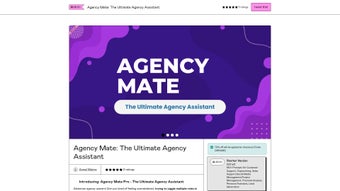

Download AgencyMate – AI Assistant for Agencies, Streamline Workflows & Boost Revenue
Overview of AgencyMate
AgencyMate is a web‑based, AI‑powered assistant built on the latest ChatGPT technology and engineered specifically for marketing, design, and consulting agencies. The platform consolidates a wide range of daily operations—customer support, copywriting, project management, financial analysis, social media scheduling, lead generation, and even recruitment—into a single, intuitive interface. By organizing its capabilities inside a Notion‑style file, AgencyMate offers a clean hierarchy of prompts that correspond to distinct roles such as account manager, creative director, analyst, and HR specialist. The free tier already delivers a robust set of automation tools, while the Pro version unlocks advanced content generation, market research, and custom workflow integrations that would otherwise require multiple hires or expensive SaaS subscriptions.
What truly sets AgencyMate apart is its focus on agency‑specific challenges. Every prompt has been crafted after extensive field research, ensuring that the language, tone, and output match the expectations of clients and stakeholders in fast‑paced agency environments. The result is a dramatic reduction in manual effort—tasks that once consumed hours each week can now be completed in minutes, freeing teams to focus on strategy, creativity, and revenue‑generating activities. Moreover, the AI assistant constantly learns from each interaction, becoming more accurate and context‑aware over time, which translates into higher client satisfaction and lower churn rates.
From a security standpoint, AgencyMate runs entirely in the cloud with end‑to‑end encryption, meaning that sensitive client data, financial figures, and strategic plans remain protected. Regular updates are pushed automatically, ensuring that users always have access to the latest AI models, bug fixes, and feature enhancements without any manual intervention. Whether you run a boutique design studio or a multinational consulting firm, AgencyMate offers a scalable, cost‑effective solution that adapts to the size and complexity of your operation.
In addition to core automation, the platform provides hidden gems such as AI‑powered brainstorming sessions, mood‑board generation for creative teams, and automated contract drafting. Agencies can start with a single module—like copywriting—and gradually expand to a full‑stack solution as their needs evolve, all while maintaining a single subscription and a unified data repository.
Key Features that Power Agency Efficiency
- AI‑Driven Customer Support: Instant, context‑aware replies to client inquiries, ticket routing, and FAQ generation.
- Smart Copywriting Suite: Generate blog posts, ad copy, email sequences, and social captions in seconds, with brand‑tone presets.
- Project Management Automation: Create task lists, assign owners, set deadlines, and receive AI‑suggested resource allocations.
- Financial Analysis & Reporting: Automated budget tracking, profit‑margin calculations, and visual dashboards.
- Content Generation Pro (Premium): Long‑form articles, whitepapers, and SEO‑optimized landing pages without writer’s block.
- Market Research Engine (Premium): Real‑time competitor analysis, trend identification, and audience insights.
- Recruitment Assistant (Premium): Draft job descriptions, screen resumes, and schedule interviews using AI‑matched criteria.
- Social Media Scheduler: AI‑curated posting calendars, hashtag suggestions, and performance forecasts.
- Lead Generation Toolkit: Identify high‑value prospects, craft outreach scripts, and track conversion pipelines.
- Notion‑Style Prompt Library: Easy navigation through role‑specific prompts, searchable by keyword or department.
- Secure Cloud Architecture: Encrypted data storage, GDPR compliance, and regular security audits.
- Automatic Updates & Model Improvements: Seamless upgrades to the latest ChatGPT versions.
Each feature is accessible through a clean web dashboard that works on any modern browser. The interface is divided into modules—Support, Content, Projects, Finance, and Growth—allowing team members to focus on their specialty while still benefiting from the shared AI knowledge base. The Pro tier also includes API access, enabling agencies to embed AgencyMate’s capabilities directly into their existing CRMs, project management tools, or custom client portals.
Beyond the headline functionalities, AgencyMate offers hidden gems like AI‑powered brainstorming sessions, mood‑board generation for creative teams, and even automated contract drafting. The platform’s flexibility means that agencies can start with a single module (for example, copywriting) and gradually expand to a full‑stack solution as their needs evolve, all without additional licensing overhead.
Because all features share a common AI core, improvements in one area instantly benefit the others. For instance, updates to the language model that enhance copywriting quality also refine the tone of customer‑support replies, creating a virtuous cycle of continuous improvement across the entire suite.
Installation, Usage Instructions & Compatibility
Getting Started – A Step‑by‑Step Guide
AgencyMate is a fully cloud‑based service, so there is no traditional installation process. Users simply need a stable internet connection and a modern browser (Chrome, Edge, Firefox, or Safari). Follow these steps to begin:
- Create an Account: Visit AgencyMate.com and click “Sign Up.” Provide your business email, set a strong password, and verify your account through the confirmation link.
- Select a Plan: Choose between the free tier or the Pro subscription. The Pro plan can be paid monthly or annually; both options include a 14‑day risk‑free trial.
- Connect Your Workspace: After logging in, you’ll be prompted to import existing Notion pages or upload CSV files containing client data, project lists, and financial records. This step allows the AI to reference your historical information for more accurate responses.
- Configure Role Prompts: Navigate to the “Prompt Library” and activate the modules relevant to your agency (e.g., “Copywriter,” “Project Manager”). Each module comes with default prompts that can be customized to match your brand voice and workflow.
- Start Using AI: Open any module, type a request (e.g., “Generate a 500‑word blog post about sustainable branding”), and watch AgencyMate deliver results within seconds. You can refine the output by adding constraints such as word count, tone, or target audience.
- Collaborate in Real Time: Invite team members via email. Permissions can be set at the module level—view‑only, editor, or admin—ensuring data integrity while fostering collaboration.
Operating System Compatibility
AgencyMate is platform‑agnostic. Since it runs entirely in the browser, it is compatible with Windows 10/11, macOS Monterey and later, Linux distributions, as well as mobile operating systems like Android 10+ and iOS 14+. The responsive design ensures a seamless experience whether you’re on a desktop, tablet, or smartphone.
Best Practices for Maximum Productivity
- Define Clear Prompts: The more specific your request, the better the AI’s output. Include context such as target persona, brand guidelines, and desired call‑to‑action.
- Leverage Templates: Save frequently used prompts as templates. This reduces repetitive typing and maintains consistency across projects.
- Review & Edit: While AgencyMate produces high‑quality drafts, a quick human review ensures compliance with legal or industry standards.
- Integrate with Existing Tools: Use the API to connect AgencyMate with Slack for instant notifications, or with Asana/Trello for automatic task creation.
- Monitor Usage Metrics: The dashboard includes analytics on prompt frequency, response time, and cost savings—use these insights to optimize your workflow.
Pros, Cons, FAQ & Final Recommendation
What Agencies Love About AgencyMate
- All‑in‑one AI hub eliminates the need for multiple specialized tools.
- Agency‑specific prompt library saves time on customization.
- Scalable pricing model—free tier for startups, affordable Pro plan for growing firms.
- Secure cloud infrastructure with end‑to‑end encryption and GDPR compliance.
- Regular automatic updates keep the AI model cutting‑edge without manual effort.
- API access enables deep integration with existing tech stacks.
- Responsive design works flawlessly across Windows, macOS, Android, and iOS.
- Transparent usage analytics help quantify productivity gains.
Areas for Improvement
- Learning curve for teams unfamiliar with AI prompt engineering.
- Advanced features (market research, recruitment) are locked behind the Pro plan.
- Limited offline capability—requires internet connection at all times.
- Some niche industry terminology may need additional fine‑tuning.
- Support response time can be slower during peak hours for free users.
Frequently Asked Questions
Is AgencyMate really free to use?
Yes, AgencyMate offers a free tier that includes core features such as AI‑driven customer support, basic copywriting, and project management automation. The free plan is ideal for small boutique agencies or teams that want to test the platform before committing to a paid subscription.
What payment options are available for the Pro plan?
The Pro plan can be paid monthly or annually. Annual subscriptions receive a 15% discount. Payments are accepted via major credit cards, PayPal, and wire transfer for enterprise accounts.
Can I integrate AgencyMate with my existing CRM?
Absolutely. AgencyMate provides a RESTful API and pre‑built webhooks for popular CRMs like HubSpot, Salesforce, and Zoho. This allows you to push AI‑generated leads, content drafts, and project updates directly into your existing workflow.
How does AgencyMate handle data security?
All data is stored in encrypted cloud servers that comply with GDPR, CCPA, and ISO‑27001 standards. AgencyMate never shares raw client data with third parties, and you can enable two‑factor authentication for added account protection.
Will I receive training or onboarding help?
New users receive a series of interactive tutorials that walk through each module. Pro customers also get access to live onboarding webinars and a dedicated account manager who can help tailor prompts to your agency’s unique processes.
Final Recommendation & Call to Action
After weighing the benefits against the few limitations, AgencyMate emerges as a must‑have productivity catalyst for any agency that wants to stay competitive in a fast‑moving digital landscape. The free tier provides enough value to prove the concept, while the Pro plan scales effortlessly as your client base and project load grow. If you’re ready to reduce repetitive tasks, improve client communication, and generate high‑quality marketing assets with a single subscription, click the button below to start your free trial and experience the future of agency work today.



.png)



